PHOSPHOR VFX - Pixel-Art Particle & Physics Sim
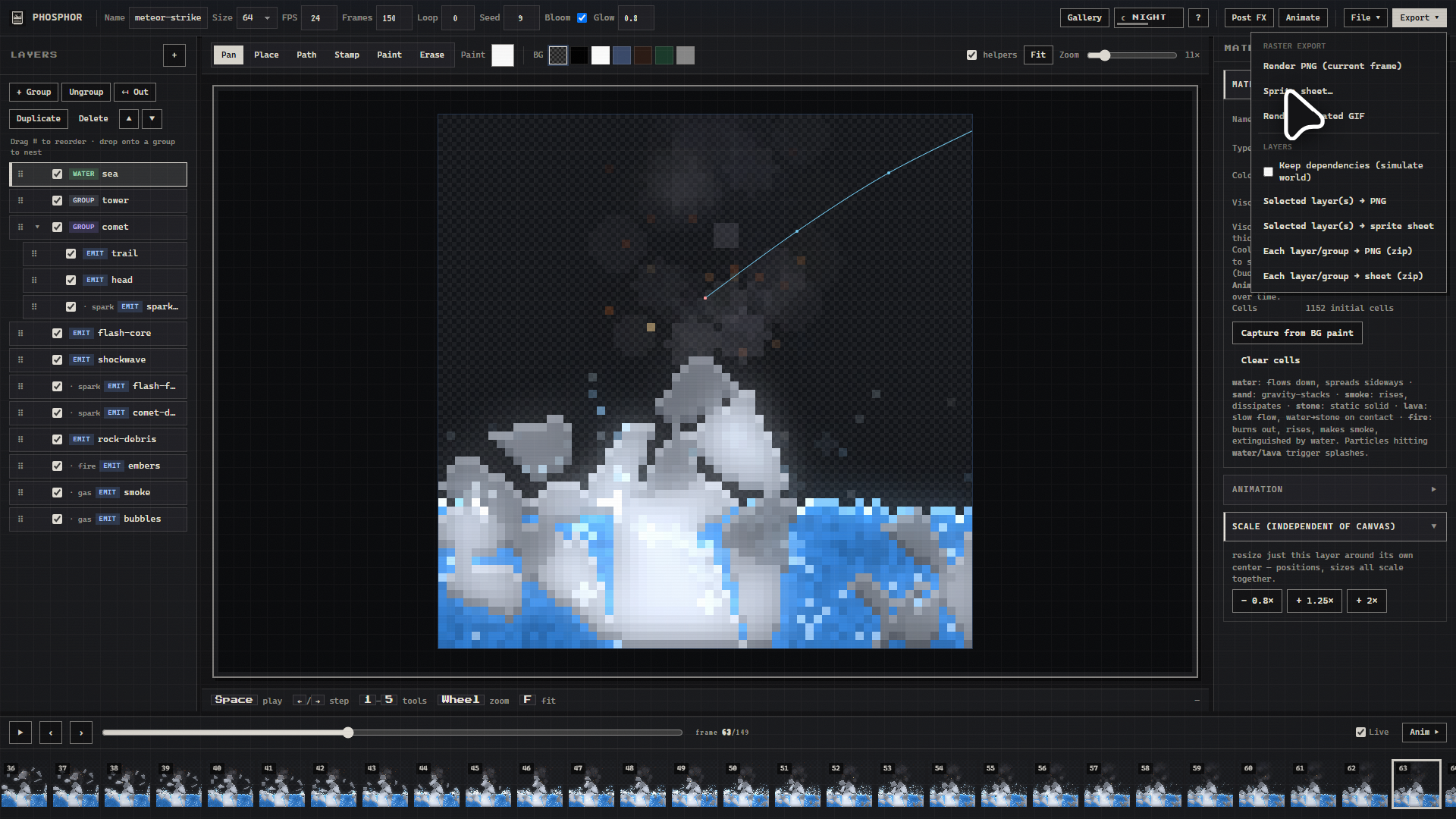
PHOSPHOR is a browser-based pixel VFX editor designed for indie game developers. Create explosions, fire, smoke, magic and other 2D effects using real-time physics simulation. Export animations as sprite sheets, GIFs and PNG sequences for Unity, Godot and other engines.
Free as in take it, no strings. No install, no build step, no sign-up, no watermark, no locked features, no export limit. Open it, click a preset, start taking it apart.
The effects are running simulations rather than stacked filters, so when you nudge a number the result moves the way you'd hope.
What it simulates
Materials are cellular. Water, sand, smoke, stone, lava, fire, wood, oil, fuse, gunpowder, ice, acid, ember, steam, metal and wire, with reactions that chain. Fire spreads through wood and leaves ash. Ice melts, then the meltwater douses the fire that melted it. Lava hitting water makes stone and steam. A spark runs down a wire and lights a lamp at the far end.
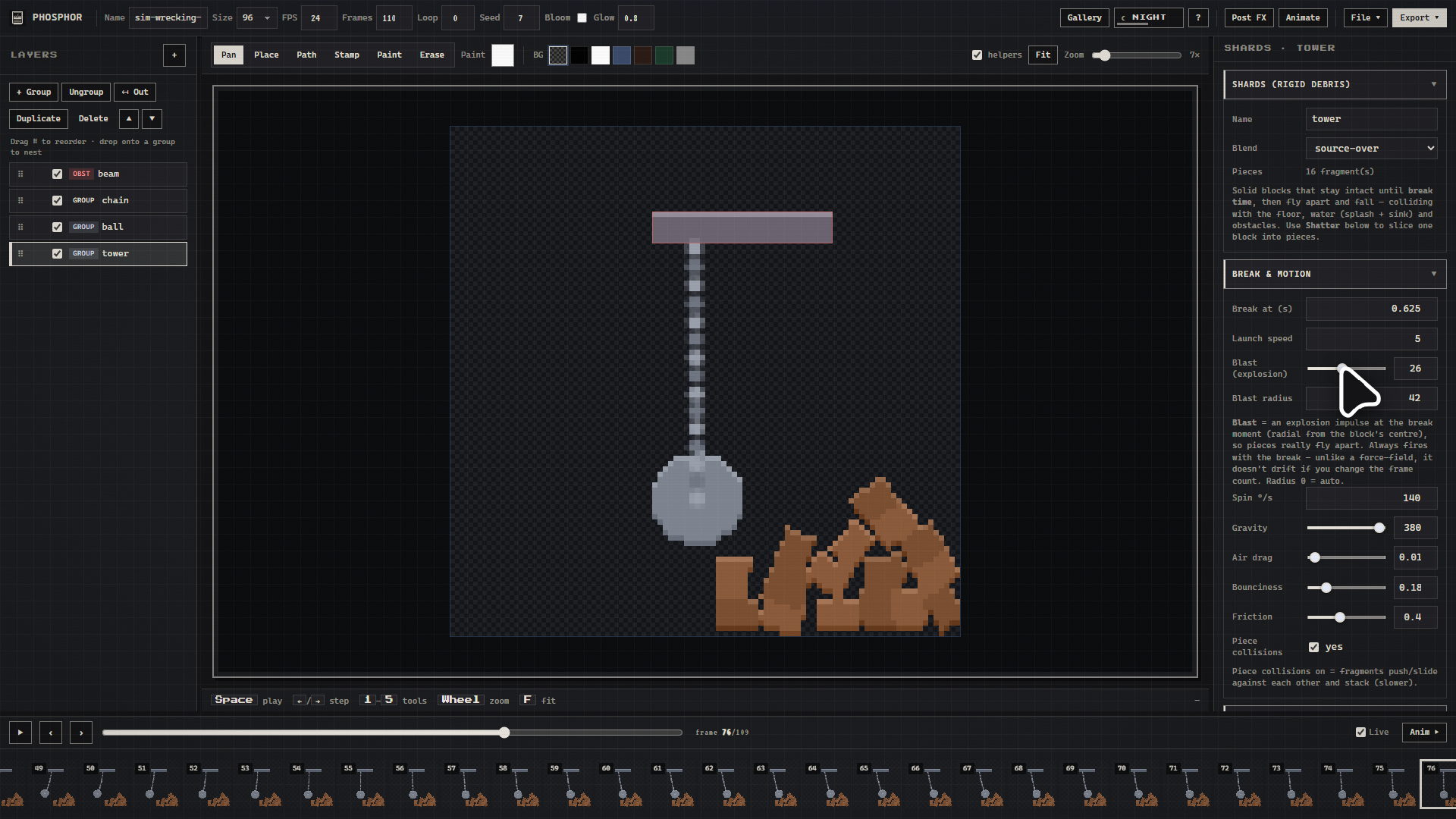
Rigid bodies fracture. Break a block on a Voronoi or impact-focused pattern into convex pieces that tumble, stack, grind against each other with friction, and splash into water.
Soft bodies are pressurised verlet blobs. They squash on impact, spring back, bump into each other, and float or sink by density. One slider takes them from firm rubber to loose jelly.
Cloth is mass-spring fabric: flags, capes, curtains, banners. It ripples in wind, drapes over obstacles, and tears if you pull hard enough. Ropes and chains give you pendulums, wrecking balls, sagging bridges, motor-driven windmills. Hang a rigid piece or a soft body off a rope's end and swing it into a wall, because why not.
Force fields cover attract, repel, vortex, wind and turbulence. There's also a shockwave ring that flings particles, cloth, soft bodies, shards, ropes and fluids outward all at once, which is as fun as it sounds.
Particle emitters have seven behaviours: ballistic, gas, liquid, fire, dust, spark, electric. Size, alpha, rotation and colour animate over each particle's life, driven by curve and gradient editors.
Made for pixel art
Nearest-neighbour everywhere, on canvases from 16 px up to 256 px.
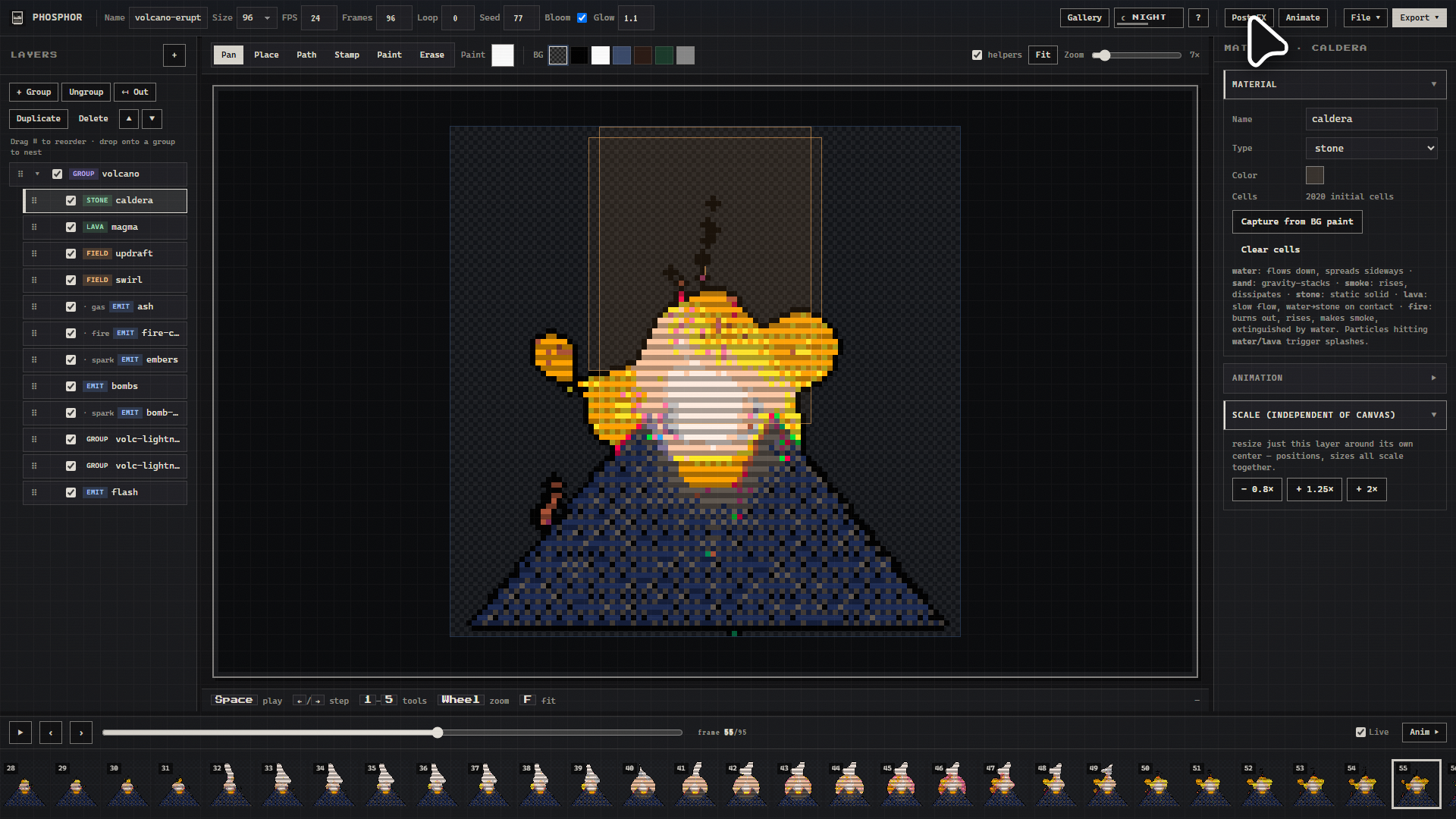
The post-FX respect the grid: palette lock with ordered dithering (PICO-8, Game Boy, NES, or a palette you bring along), posterize, outline, chromatic aberration, scanlines, bloom.
Loop baking is a single setting. It crossfades the simulation's tail into its own start, so a continuous effect like fire or rain comes out of every export with no visible seam.
The whole engine is deterministic and seed-based, so a scene renders the same frames every time, on every machine. Send someone the JSON and they see exactly what you saw.
Poke at it, or go deep
Both are good. Plenty of people will open the gallery, play a few presets, close the tab and have had a nice time. That's the whole point of the gallery.
If you do want to go further, there's a lot waiting:
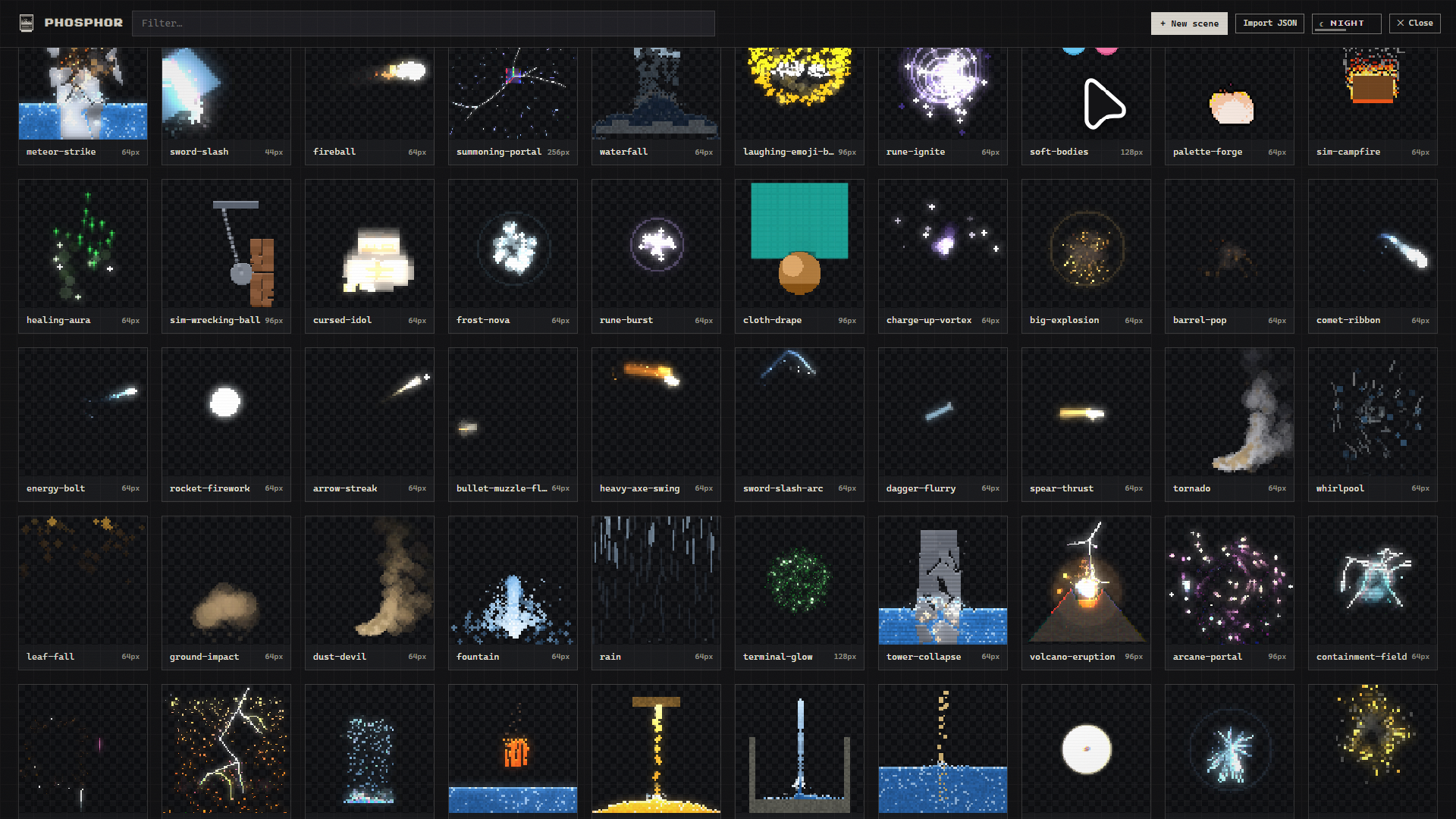
- 61 presets to open up, see how they're built, and borrow from freely.
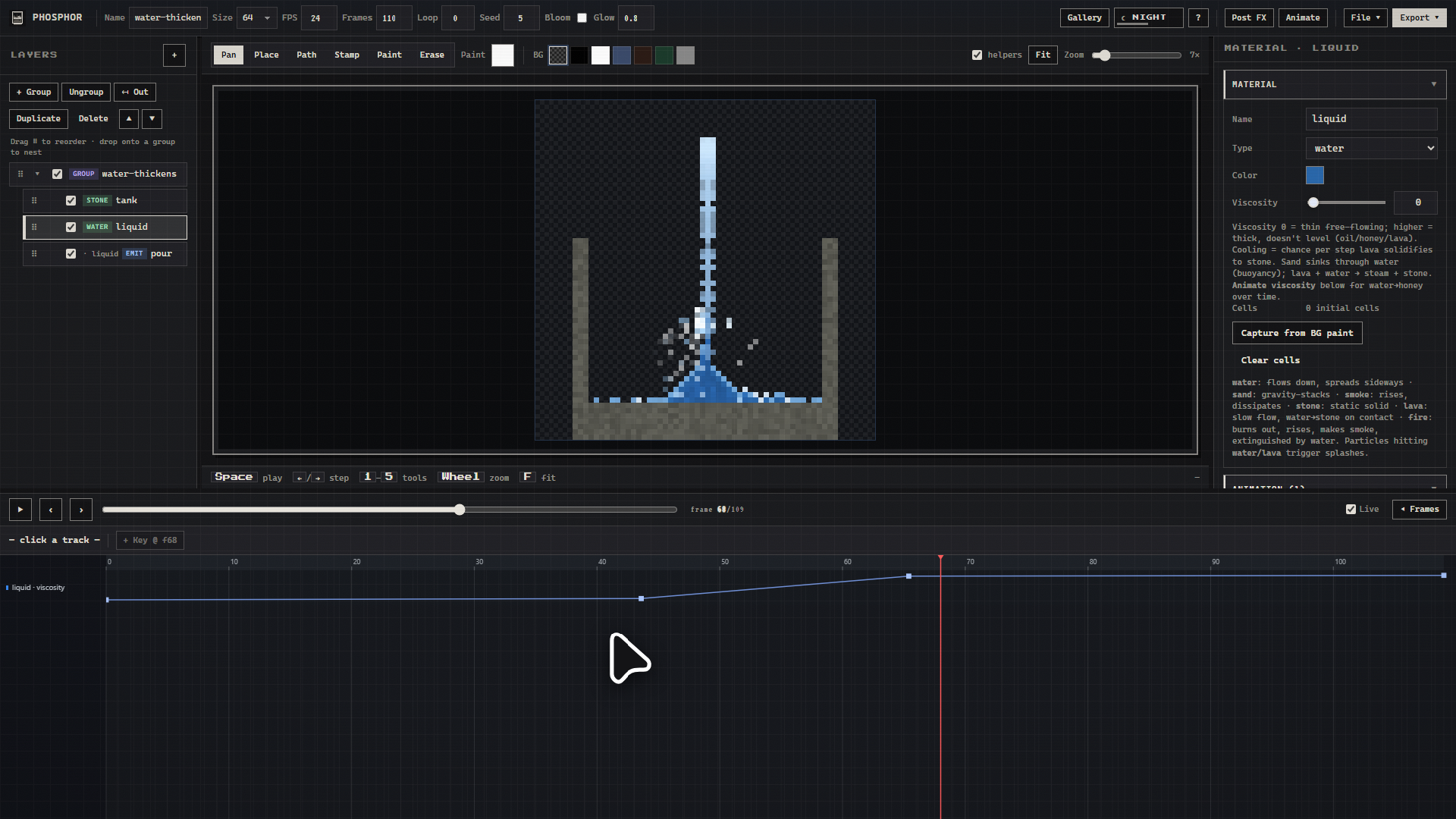
- Keyframe any numeric parameter on a dope sheet. Thicken water into honey mid-shot, or ramp a force field from pull to push.
- Sprite layer. Bring your own PNG or sprite sheet and juice it: idle wobble, breathe, sway, plus synced impact reactions (squash, shake, white flash, motion smear, knockback).
- Motion paths and ribbon trails for sword arcs and comets. Fractal bolts for lightning and cracks. Heat haze that bends whatever sits behind it. Simulation domains that hold a pool against their walls like a tank.
- Command palette (
Ctrl/⌘ K), undo/redo, multi-select, right-click actions, and a day theme for anyone who doesn't get on with dark mode.
Taking your work with you
Current frame PNG · sprite sheet · looping GIF · scene JSON · a self-contained HTML player.
Layers and groups export too, one at a time or all at once as a ZIP. You can keep the rest of the scene simulating while drawing only the layer you asked for, so a smoke pass still gets pushed around by the wind field you left out of the file.
If you like the command line
Scenes are plain, readable JSON, and three little tools work without the editor open:
tools/render.jsturns a scene into a sprite sheet, frames or a GIF, using the Chrome or Edge you already have. It drops a JSON sidecar next to the sheet with the grid in it: columns, rows, cell size, padding, frame count, fps.tools/validate.jschecks a scene for typos, broken references and dead layers before you spend time rendering it. Unknown fields come back with a did-you-mean, and it names things like an emitter attached to a layer that isn't there, or a layer that never emits.tools/inspect.jsexplains what each layer is up to: rate, behaviour, roughly how many particles will be alive, lifetime, reach.
SKILL.md writes down the engine's conventions, which is usually enough for an AI agent to author a scene that runs. When it isn't, the linter tends to name the reason in one line.
Getting it running
Download, unzip, and serve the folder over HTTP:
python -m http.server 8000
Then open http://localhost:8000/ and you're in. Any static server does the job: npx serve, php -S, VS Code Live Server, whatever you already have lying around.
One thing worth knowing: opening index.html straight off your disk won't load the preset gallery, because browsers block local fetch. The line above takes care of that.
After the first load it runs entirely offline. No CDN, no accounts, nothing sent anywhere.
What you'll need
Any recent desktop browser with Canvas 2D. I built and tested it in Chrome and Edge. There's nothing Chrome-specific in the code, so Firefox should be fine, but I haven't put it through its paces there and would like to hear if something breaks. It's built around a mouse and keyboard, so a laptop or desktop is where it feels best. Phones aren't supported yet.
Why it's free
I made it because I wanted it to exist, and it was built with a lot of AI assistance over a couple of months of evenings, so it didn't cost me the year it would have otherwise. Charging for it felt like more friction than the thing is worth. Take it, use it in whatever you're making, commercial work included. No credit needed, though I'd love to see what you build.
If it saves you an afternoon and you feel like it, the donate button is right there. Nothing behind it changes either way.
Made with PHOSPHOR. If you build something with it, I'd love to see it.
Download
Install instructions
Download, unzip, and serve the folder over HTTP:
python -m http.server 8000
Then open http://localhost:8000/ and you're in. Any static server does the job: npx serve, php -S, VS Code Live Server, whatever you already have lying around.
One thing worth knowing: opening index.html straight off your disk won't load the preset gallery, because browsers block local fetch. The line above takes care of that.
After the first load it runs entirely offline. No CDN, no accounts, nothing sent anywhere.
Development log
Leave a comment
Log in with itch.io to leave a comment.